Affiliate disclosure: This post contains affiliate links. If you buy through them, we may earn a small commission at no extra cost to you.
Somewhere in your home there is a drawer, box or bag of tangled cables. Chargers for phones you no longer own. Mystery black bricks. Three identical white cords — or are they? Tech clutter is sneaky: each cable seems too useful to toss, so the tangle only ever grows. Here's how to sort it out in an afternoon and set up a system so it never comes back.
Step 1: The great cable amnesty
Gather every loose cable, charger and adapter in the house into one pile. Then sort into three groups:
Keep and use — cables for devices you actually own and charge. Keep as spare — one backup per cable type, not five. Let go — chargers for long-gone devices, frayed cords, anything unidentifiable. Dead cables aren't trash — most electronics stores and many supermarkets have e-waste recycling bins.
Rule of thumb: if you can't name the device it belongs to in five seconds, it goes.
Step 2: Label everything you keep
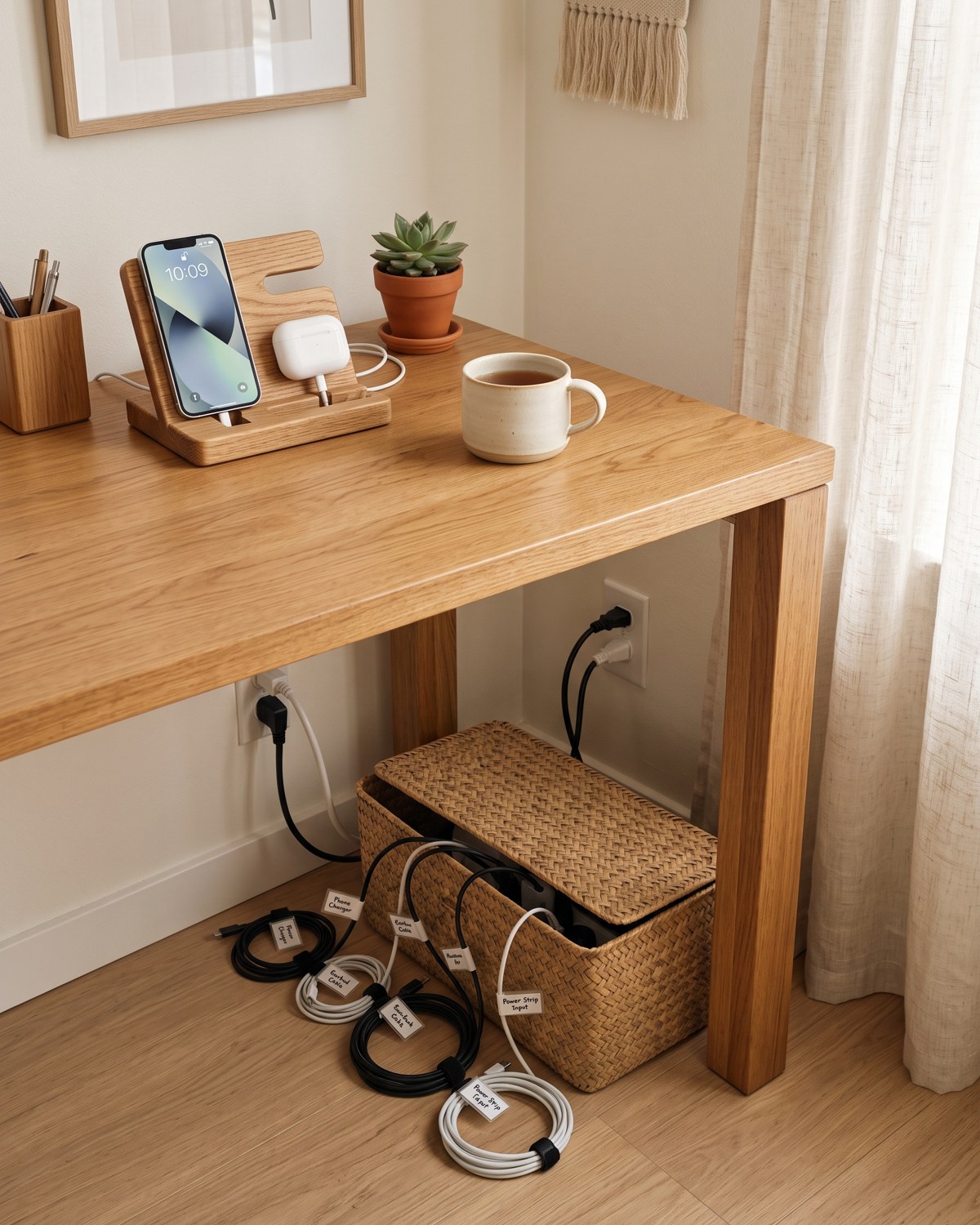
The whole reason cables become clutter is that they all look alike. Two minutes with a label maker — or simple cable tags — ends the guessing forever: "laptop 65W", "camera", "spare USB-C". Shop on Amazon → Label at both ends of chunky adapters, and label the plug itself, since that's what you see behind the power strip.
Step 3: One home for spares
Spare cables get one — exactly one — home. A cable organizer box or pouch with compartments keeps each cord coiled and visible, instead of fused into a single tangle. Shop on Amazon → Coil each cable loosely and secure it with a reusable Velcro cable tie — they cost pennies, and they're the single biggest difference between a tidy box and a bird's nest. Shop on Amazon → Keep the box in one known spot: office shelf, hallway closet, wherever — the point is that there's only one answer to "where are the cables?"
Step 4: Fix the everyday cable mess
Now for the cables you use daily — the ones that slide off the desk or snake across the floor:
A cable management box hides the power strip and its hydra of plugs in a ventilated, tidy container — instantly the biggest visual upgrade in this whole guide. Shop on Amazon → Adhesive cable clips on the desk edge hold charging cables in place, so they never slither behind the furniture again. Shop on Amazon → An under-desk cable tray lifts the whole mess off the floor — vacuuming stops being an obstacle course. Shop on Amazon →
Step 5: Set up a charging station
The final upgrade: give devices a home base. A multi-device charging station with short cables charges phones, earbuds and a watch in one spot — which means no more chargers colonizing every outlet in the house, and no more "who took my cable?" Shop on Amazon → The kitchen counter corner or entryway shelf works beautifully for a family; a nightstand version keeps bedrooms cable-calm.
The one-in, one-out rule for tech
Every new device arrives with a new cable. From today: when a device leaves the house, its cables and charger leave too — recycled or passed along. The spare box stays one box, forever.
An afternoon of sorting, a handful of Velcro ties, and the drawer of doom becomes a labeled box you can actually use. Your future self — the one searching for a charger at 11 pm before a trip — will thank you.